

FairPlay Deposit Methods, Limits and Timing
FairPlay payment methods shown to an Indian account may include UPI, Paytm, PhonePe, Net Banking, cards, e-wallets and cryptocurrency. The list is not fixed: it can differ by account and change as payment partners or cashier terms are updated. Use only a method that appears after you sign in.
The table records the published examples available for this guide, not a promise of availability or speed. “Instant” means the method is presented as immediate after successful authorisation; a bank, wallet, blockchain network or account review can still delay crediting.
The listed FairPlay minimum deposit is ₹500 for UPI, Paytm, PhonePe and cryptocurrency, while other examples start at ₹1,000 or ₹1,500. Treat every figure below as indicative. The minimum, maximum and any charge displayed in your cashier at confirmation are the terms that apply to that transaction.

| Method listed | Indicative minimum | Indicative maximum | Published deposit time | Fee information |
|---|---|---|---|---|
| UPI (Google Pay, PhonePe, BHIM) | ₹500 | ₹90,000 | Shown as instant | No fee shown |
| Paytm | ₹500 | ₹90,000 | Shown as instant | No fee shown |
| PhonePe | ₹500 | ₹90,000 | Shown as instant | No fee shown |
| Net Banking | ₹1,500 | ₹100,000 | Up to 15 minutes | No fee shown |
| Debit or credit card | ₹1,000 | ₹90,000 | Shown as instant | No fee shown |
| Skrill or Neteller | ₹1,000 | ₹90,000 | Shown as instant | Provider charge possible |
| Cryptocurrency | ₹500 | ₹100,000 | 2–10 minutes | Network fee may apply |
How to Make a FairPlay Deposit
Sign in on the FairPlay platform, open the Cashier or Banking area and choose Deposit. Select one of the methods offered to your account, then read its current minimum, maximum, fee and expected processing window. Enter an amount within those limits and make sure the payment account belongs to you.
Follow the provider’s authorisation screen and review the amount before confirming. Return to FairPlay only after the bank, wallet or network reports a result, then check both the cashier history and balance. A successful authorisation does not always mean immediate credit: provider checks, network traffic or an account review may extend the stated time.
-

Making a UPI Deposit
When UPI appears in the FairPlay deposit menu, choose it and enter the requested UPI ID, or use the QR option if one is provided. Check that the payee and amount shown in Google Pay, PhonePe, BHIM or another supported app match the request before you approve it.Enter the UPI PIN only inside your own payment app. FairPlay staff or support should never need your PIN, OTP or account password. Decline an unexpected collect request and start again through the signed-in cashier rather than through a link received in a message.
The cashier describes UPI as instant, but bank limits, provider outages and account checks can affect when the balance updates. Keep the UPI reference until the deposit is visible or has been reversed.
-

Paying by Bank Transfer
If Net Banking or bank transfer is listed, select the available bank and follow the redirect or on-screen beneficiary instructions. Confirm the domain or app before signing in, and compare the beneficiary, amount and reference with the cashier request.Authorise the transfer through the bank’s own service, then retain its transaction number. The published example is up to 15 minutes, although the bank, payment gateway or FairPlay review may take longer. Do not send a second transfer merely because the first one has not appeared yet.
Use only a bank account held in the same name as the FairPlay account. Third-party funding can trigger checks, rejection or a return under the current payment rules.
-

Sending a Crypto Deposit
A crypto deposit is possible only when a coin is displayed in the signed-in cashier. Select the exact asset and network, then copy the generated address carefully. Check the first and last characters and any required memo or tag; transfers to the wrong address or network may be irreversible.Send the requested amount from your wallet and save the transaction hash. Credit depends on the required blockchain confirmations. The 2–10 minute example can increase with network congestion, account review or the selected coin.
Review exchange rates and network charges before sending. Cryptocurrency is not fee-free or risk-free, and a changing coin price can affect the value received. Never accept an address supplied by an unsolicited caller, chat message or social-media account.
FairPlay Deposit Troubleshooting
A failed, pending or missing deposit can originate with FairPlay, the payment provider, a bank or a blockchain network. Check the transaction status before retrying. Repeated attempts may create duplicate debits and make the payment trail harder to follow.
- The bank declined the payment. Read the bank’s reason, then check the available balance, transaction cap and entered details. Ask the bank whether the payment type is permitted on your account. Do not try to disguise a restricted transaction; if the method is unavailable, use only another option genuinely offered in the cashier.
- The account was debited but not credited. Compare the provider status with FairPlay transaction history and allow the listed method window to pass. For example, the published Net Banking estimate is up to 15 minutes, while other methods have different timings. If it remains missing, give official support the amount, time and reference ID, but never an OTP, PIN or password.
- The UPI deposit failed. Verify the UPI ID, account balance and daily bank limit, and check whether the collect request expired. The UPI app’s status is the best first clue. If it says pending, avoid approving another request until the bank confirms whether the original payment succeeded or reversed.
- The amount is outside the allowed range. Each live method has its own minimum and maximum. The FairPlay minimum deposit examples on this page may not match a particular account, so replace the amount with one inside the range currently displayed in the deposit form.
- A promotion did not attach. Check whether the offer required prior opt-in, a code, an eligible method, a qualifying amount or another condition. Do not deposit again until you have read the promotion and wagering terms. If every condition was met, send the transaction reference to official support for review; a bonus is not guaranteed merely because a deposit succeeded.

FairPlay Withdrawal Methods, Times and Limits
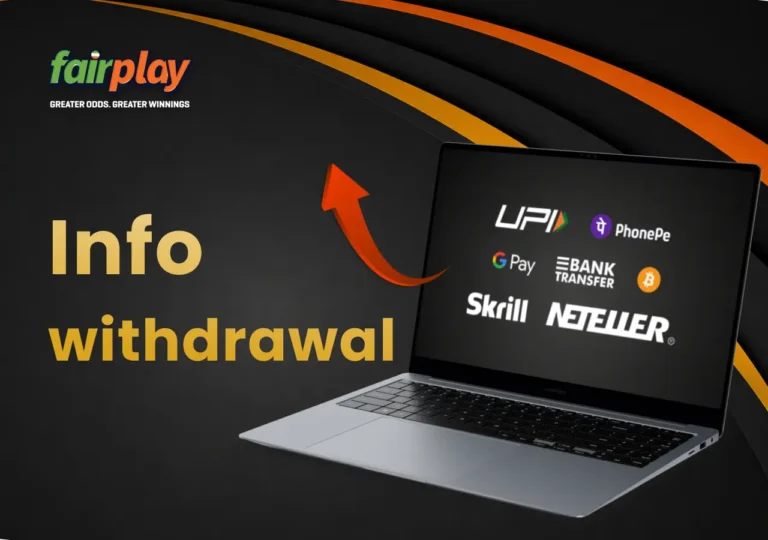
The withdrawal tab determines which payout routes are available to an account. FairPlay may return funds through the same channel used for the deposit where that route supports payouts. Paytm, PhonePe and cards may appear for deposits without appearing for withdrawals; in that case, choose an alternative displayed in the cashier and registered in the account holder’s name.
| Method listed | Indicative minimum | Indicative maximum | Published withdrawal time | Fee information |
|---|---|---|---|---|
| UPI | ₹500 | ₹500,000 | 1–3 hours | No fee shown |
| Net Banking or bank transfer | ₹1,500 | ₹1,000,000 | 3–24 hours | No fee shown |
| Skrill or Neteller | ₹1,000 | ₹500,000 | Up to 24 hours | Provider charge possible |
| Cryptocurrency | ₹1,000 | ₹2,000,000 | 1–2 hours | No platform fee shown; network costs may apply |
These are indicative figures retained from the published payment information. A FairPlay withdrawal first passes any applicable account and payment review; the bank, wallet or blockchain then completes delivery. The total withdrawal time can therefore exceed the table when KYC verification, provider maintenance, bank hours or network congestion is involved.
Minimum and maximum values vary by method, verification level and account. Daily or weekly caps may also apply. Do not split a request to work around a limit or review; follow the amount shown in the current form and ask official support about a legitimate larger payout.
Additional checks may be requested for a payout of ₹50,000 or more under the stated terms, but verification can also be requested at another amount. Among the non-crypto examples, UPI has the shortest listed window, not a guaranteed fastest result. The live cashier and the status shown in transaction history should guide expectations.
How to Request a FairPlay Withdrawal
Before requesting a payout, check the withdrawable balance, any unsettled bets or applicable promotion terms, the live method range and your verification status. A request can be submitted from the account cashier, but submission is not approval and does not guarantee a particular completion time.
- Sign in through the official route. Open the FairPlay website or app directly and check the address before entering your details. Do not follow an unsolicited “payout help” link or let another person access the account.
- Open the withdrawal tab. Enter the Cashier or Payments area and choose “Withdrawal”. Read any account notice before selecting a route.
- Choose an eligible method. Use the original deposit route when it is offered and suitable. Otherwise, select another approved method shown for the account; do not assume every deposit option can receive a payout.
- Enter the amount and destination. Stay within the range displayed for that method. Recheck the UPI ID, bank account, wallet address and network as applicable. The destination should belong to the verified account holder.
- Review and submit. Confirm the amount and details once, then note the request ID. FairPlay may review the account, KYC and transaction before release. If approved, the provider’s own timetable still applies.
- Follow the status. Use transaction history to see whether the request is pending, approved, rejected or completed. Keep the reference and contact official support only after the relevant displayed window has passed or if the status asks for action.
KYC verification may be required before a first withdrawal or whenever the account, amount or risk review calls for it. The next section explains how to prepare without sending documents outside the official verification area.
KYC Verification Before a FairPlay Withdrawal
Know Your Customer (KYC) checks help confirm identity, account ownership and payment details. FairPlay may request them before the first payout, for a later transaction or when information changes. The exact documents and timing depend on the prompt shown to the account; supplying documents does not by itself guarantee approval or withdrawal.
- Prepare an accepted identity document. The request may ask for a valid government-issued photo ID, such as a driving licence, national identity card or passport. Use the document type named in the verification screen and make sure every required edge and detail is readable.
- Check any address requirement. If proof of address is requested, examples may include a utility bill, official correspondence or bank statement showing the account holder’s name and current address. Follow the displayed format rules and document date rather than assuming every example is accepted.
- Upload through the account only. Use the Verification area in profile settings, inspect each image for clarity and submit it once. Do not send identity files, passwords, card PINs or OTPs to a person claiming to speed up KYC through messaging or social media.
The published guidance indicates that review may finish within several hours but can take 1–2 business days. That is an estimate, not a deadline: document quality, workload and extra checks can extend it. Monitor the verification status in the profile and respond only to requests delivered through an official channel.
If a file is rejected, read the reason before resubmitting. Blurred or cropped images, expired documents, unsupported formats and details that do not match the account are common causes. Correct the stated issue rather than repeatedly uploading the same file; a new submission remains subject to review.
Complete an available KYC request early enough to allow for review, especially before planning a withdrawal. Verification can remove one source of delay, but it does not override method limits, promotion rules, security checks or provider processing.
FairPlay Withdrawal Troubleshooting
A pending or rejected FairPlay withdrawal does not have one universal cause. Start with the status message and request ID, then check KYC, destination details, limits and any applicable promotion conditions. Avoid cancelling or resubmitting repeatedly unless the cashier or official support instructs you to do so.
- The request is still pending. Compare its age with the time shown for that method and check the profile for a verification request. If the relevant window has passed, contact official support with the request ID, amount and date. Pending does not necessarily mean the request has failed.
- The withdrawal was rejected. Read the reason before trying again. Possible causes include incorrect UPI or bank details, incomplete KYC, an unavailable method, insufficient withdrawable funds or unmet promotion terms. Correct only the identified issue and retain the rejection record.
- The amount exceeds a limit. Check the method, account and periodic caps currently displayed. Do not divide a payout simply to evade a threshold or verification check. Enter a permitted amount only where the terms allow it, or ask support how a larger legitimate balance can be withdrawn.
- The bank did not accept the transfer. Ask the bank whether the incoming payment was declined, returned or still being processed. Then check transaction history before changing anything. If a return is confirmed, select another withdrawal route only if it is offered by FairPlay and permitted by that provider.
- The account is restricted during review. A security, identity or fraud-prevention check may temporarily limit access. Use the official support route, ask what evidence is required and keep correspondence. Never pay a third party to “unlock” the account or hand over an OTP, password or remote access to your device.
FairPlay Payment and Account Security
Technical and identity controls can reduce payment risk, but no deposit, withdrawal or online account is risk-free. Users still need to verify the site, protect sign-in details and question unexpected payment instructions. Apply the following checks whenever money or personal documents are involved.
- Check the encrypted connection and domain. A valid HTTPS connection encrypts data in transit, but it does not prove that a page or payment request is genuine. Open FairPlay directly, inspect the address and leave if the browser warns about the certificate or the domain looks altered.
- Use every account-security option offered. Enable two-factor authentication where available, choose a unique password and secure the linked email and phone. An OTP, UPI PIN, card PIN or password is for the user’s own authorised screen only; support should not ask for it.
- Treat KYC as an identity check, not a guarantee. Verification can help link a withdrawal to the account holder and detect mismatched details. It cannot eliminate fraud or promise payment approval. Upload only the documents requested in the signed-in verification section.
- Review the payment provider’s screen. Card, bank and wallet transactions may pass through a separate gateway. Confirm its name, amount and recipient before authorising. Do not save sensitive details on a shared device, allow remote access or accept a request sent outside the cashier.
- Read the live terms and keep evidence. Check method availability, limits, fees and expected times at confirmation. Even when the cashier shows no FairPlay fee, a bank, e-wallet, exchange or blockchain network may charge. Save non-sensitive references and report an unfamiliar transaction promptly through official channels.
How to Reduce Avoidable Payment Delays
Good preparation can prevent errors, although it cannot control FairPlay reviews, banking outages or network congestion. These checks may make a deposit or withdrawal easier to trace and reduce delays caused by missing or inconsistent information.
- Respond to KYC in good time. If the profile offers or requests verification, submit valid, readable documents before relying on a payout date. Early completion may remove a later step, but it does not guarantee a shorter FairPlay withdrawal time.
- Recheck every destination. Compare UPI IDs, bank account numbers, wallet addresses, coin networks and amounts before confirming. A small error can cause rejection, delay or an irreversible crypto transfer.
- Maintain reachable contact details. Keep the registered email and phone current so legitimate transaction alerts or verification notices are not missed. Secure both accounts and distrust requests for secrets.
- Use accounts in the same name. Match the payment owner’s details to the FairPlay profile. Deposits from or payouts to another person can prompt checks and may not be allowed under current terms.
- Check provider caps first. A bank, UPI app, wallet or exchange may impose its own daily or per-transaction limit in addition to the cashier range. Confirm both before submitting.
- Keep a safe transaction trail. Retain request IDs, timestamps and provider references until completion or reversal. Redact balances and sensitive details before sharing evidence; never include a full card number, password, PIN or OTP.
- Check large-payout requirements. Review the current limit and verification notice before a substantial withdrawal. If anything is unclear, ask official support what applies to the account; advance contact does not secure approval or a faster transfer.
FairPlay Deposit and Withdrawal FAQ
-
What affects FairPlay withdrawal time?Published examples range from 1–2 hours for cryptocurrency and 1–3 hours for UPI to as much as 24 hours for some bank and e-wallet routes. These are estimates. Account review, KYC verification, provider schedules and network conditions can extend the total time; the published KYC estimate can reach 1–2 business days.
-
Can I make a FairPlay UPI deposit?UPI may be offered through apps such as Google Pay, PhonePe or BHIM when it appears in the signed-in cashier. The published FairPlay minimum deposit example is ₹500, but the live amount, availability, fee and status shown for the account take priority. “Instant” is not a guarantee against bank or review delays.
-
What should I do if a FairPlay deposit is missing?Check the provider result and FairPlay transaction history, then wait through the method’s displayed processing window without paying again. If the account was debited and the deposit remains absent, contact official support with the amount, date and reference ID. Never send support an OTP, PIN or password.
-
Can a FairPlay payment include a fee?Several listed methods show no platform fee, while Skrill, Neteller or a cryptocurrency network may involve charges. A bank, wallet, exchange or network can also apply its own cost. Review the final amount and fee disclosure in the current cashier and provider screen before confirming.
-
Is KYC verification required for a FairPlay withdrawal?FairPlay may require identity checks before the first withdrawal or at another stage. The published terms also indicate that a payout of ₹50,000 or more may receive additional verification. Follow the account-specific request and upload documents only through the official verification area; KYC does not guarantee payout approval.